A short list for today.
Room for every thought.
Daybook puts today's tasks and your notes on one calm page — and keeps all of it on your device.
Free, with no ads and no in-app purchases. iPhone, iPad and Android.
Everything for the day, nothing in the way.
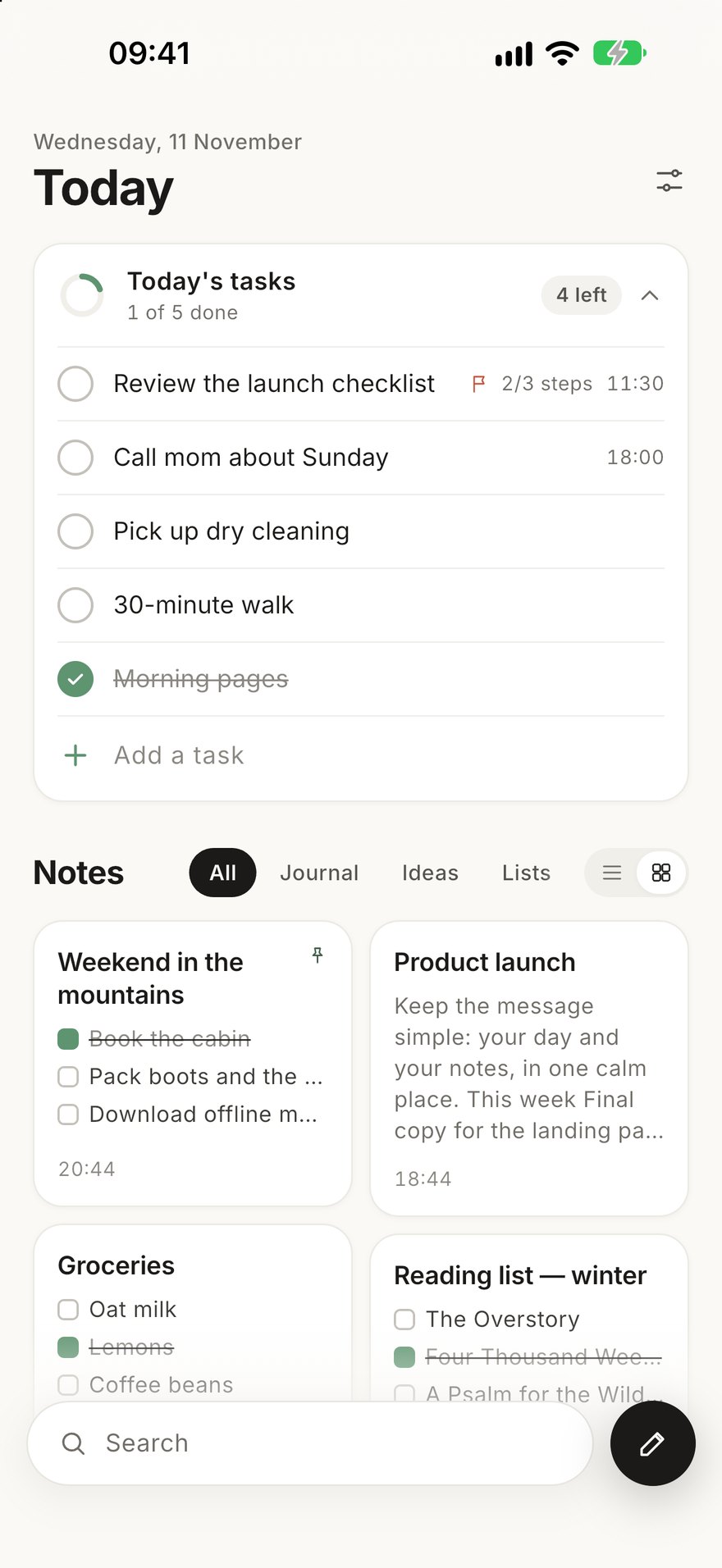
Tasks fold into one line when you want to write, and open into a full list when you want to plan.
Today, at a glance
Reminders, repeats, priority and steps on every task. Unfinished tasks carry over, and a morning summary shows what's ahead.
Notes that keep up
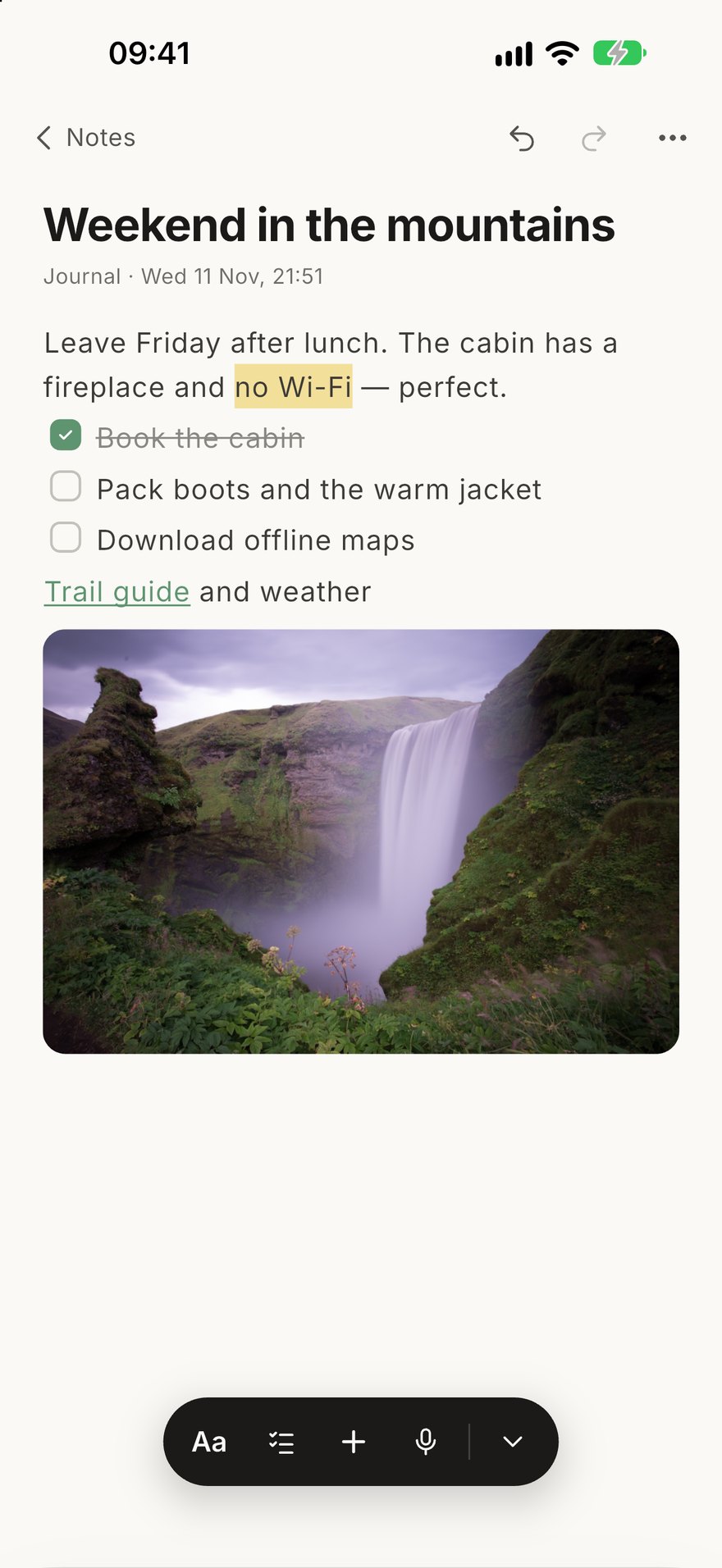
Headings, checklists, highlights, links to web pages and to other notes. Select a word and style just that word.
Sketch and mark up
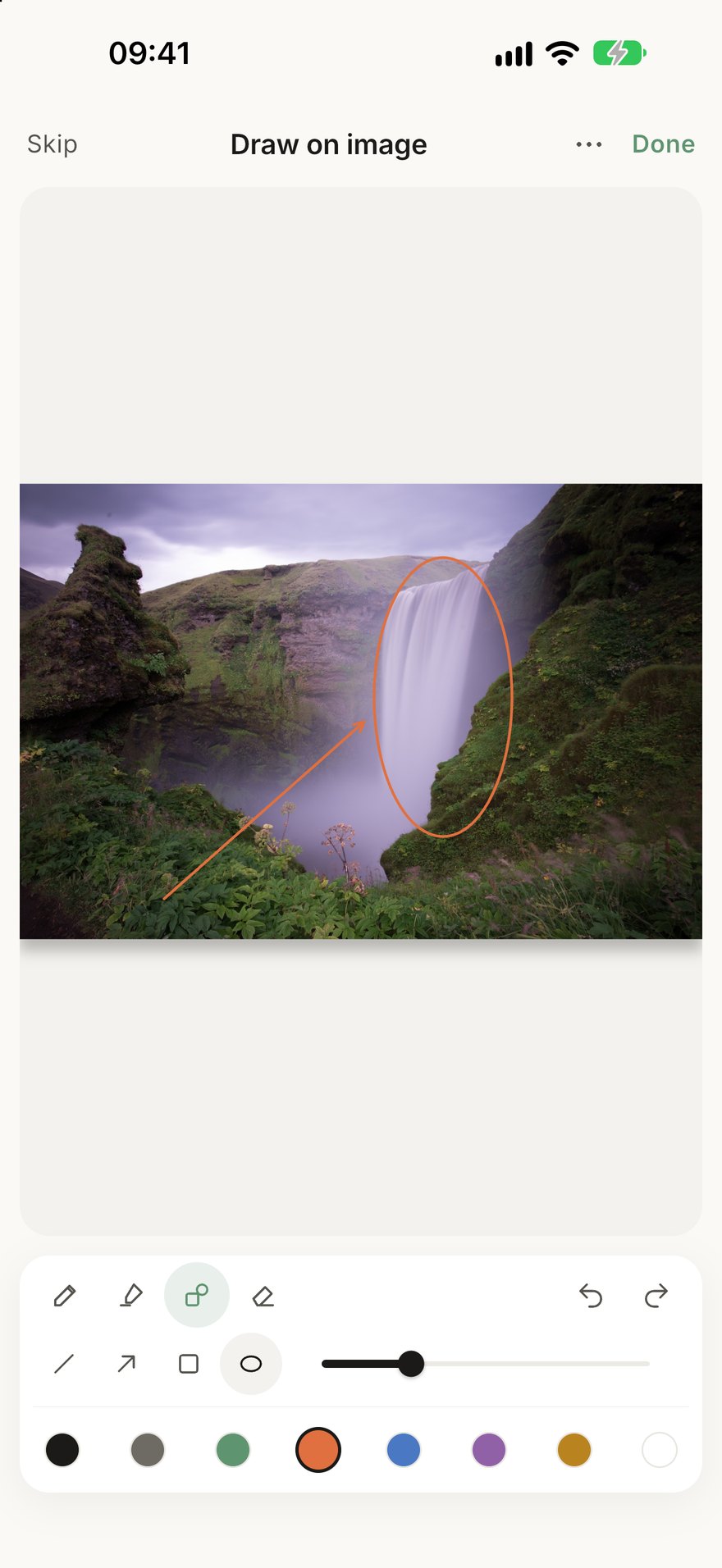
Draw with pen, highlighter and shapes — on paper or right on a photo — and edit it again any time.
Photos, your way
Crop, rotate, caption, tilt and size each picture. Scan paper pages and record voice memos into a note.
Widgets
Tick tasks, see what's next or start a note right from your home screen — and on iPhone, the lock screen.
Share anything
Send a note as text, a clean image of the page, a PDF or Markdown. Hold a note for quick actions.
Write first.
Tidy later.
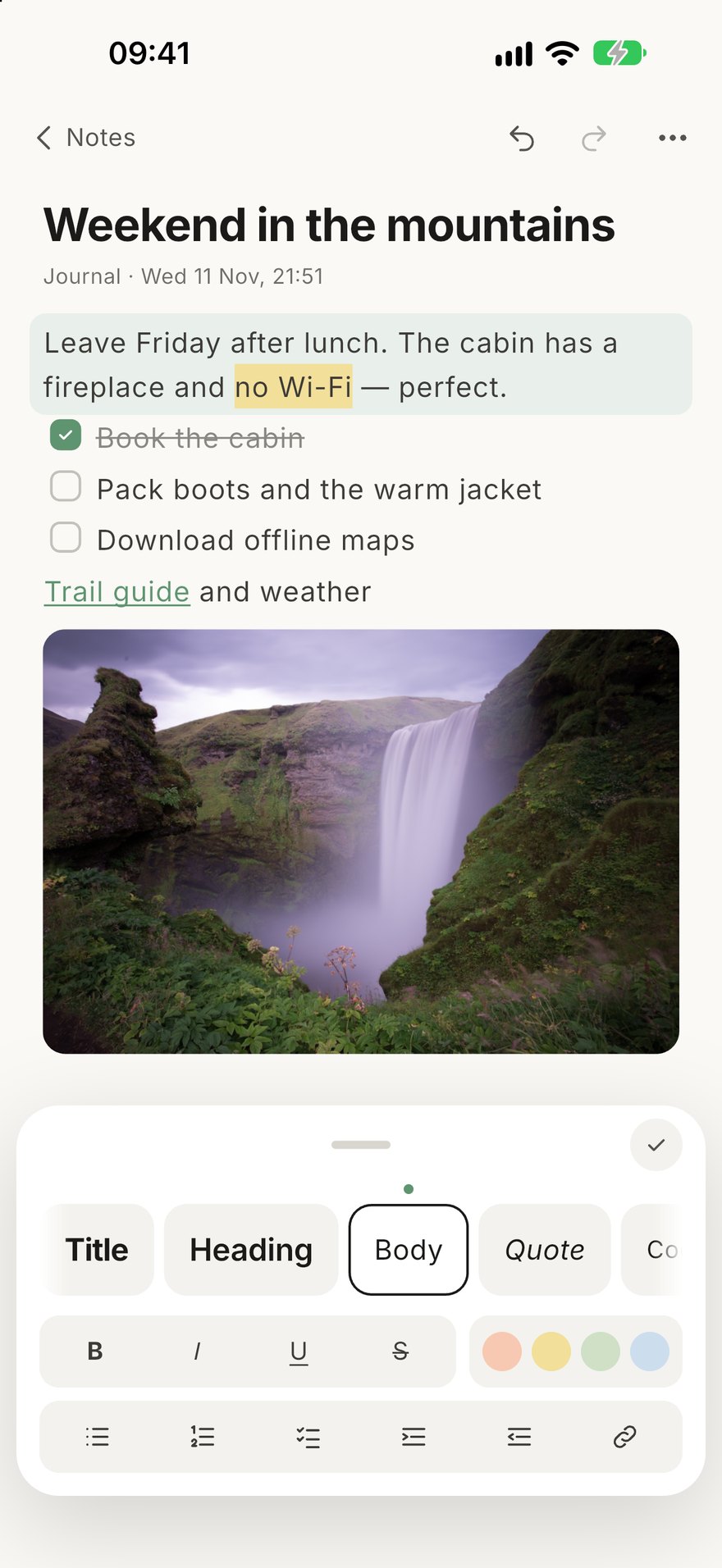
A quiet editor that gets out of the way, with a style panel that's there when you need it.
- Title, heading, quote, lists and checklists
- Bold, italic, underline, strike and four highlights
- Dictation, find in note and version history
- Lock a note behind Face ID or your fingerprint
Draw right where
you think.
Sketches stay editable, and drawings on photos keep the original underneath — change or remove them later.
- Pen with pressure, highlighter, arrows and shapes
- Plain, lined, grid or dotted paper
- Undo, redo, zoom with two fingers
Made for every screen.
Daybook adapts to how you hold your device, not the other way round.
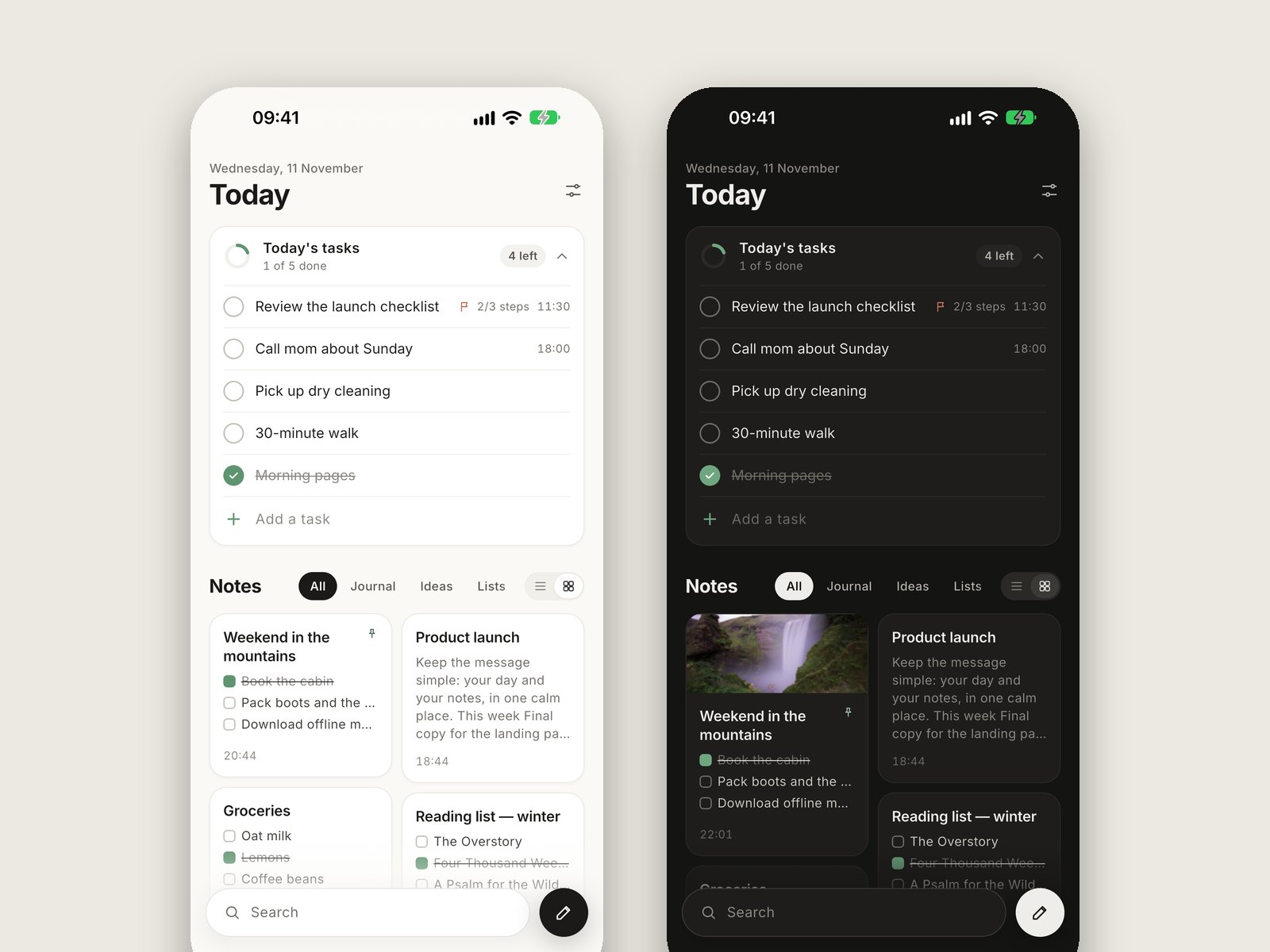
iPhone & Android
Fold or Shelf home layouts, and actions on a long press.
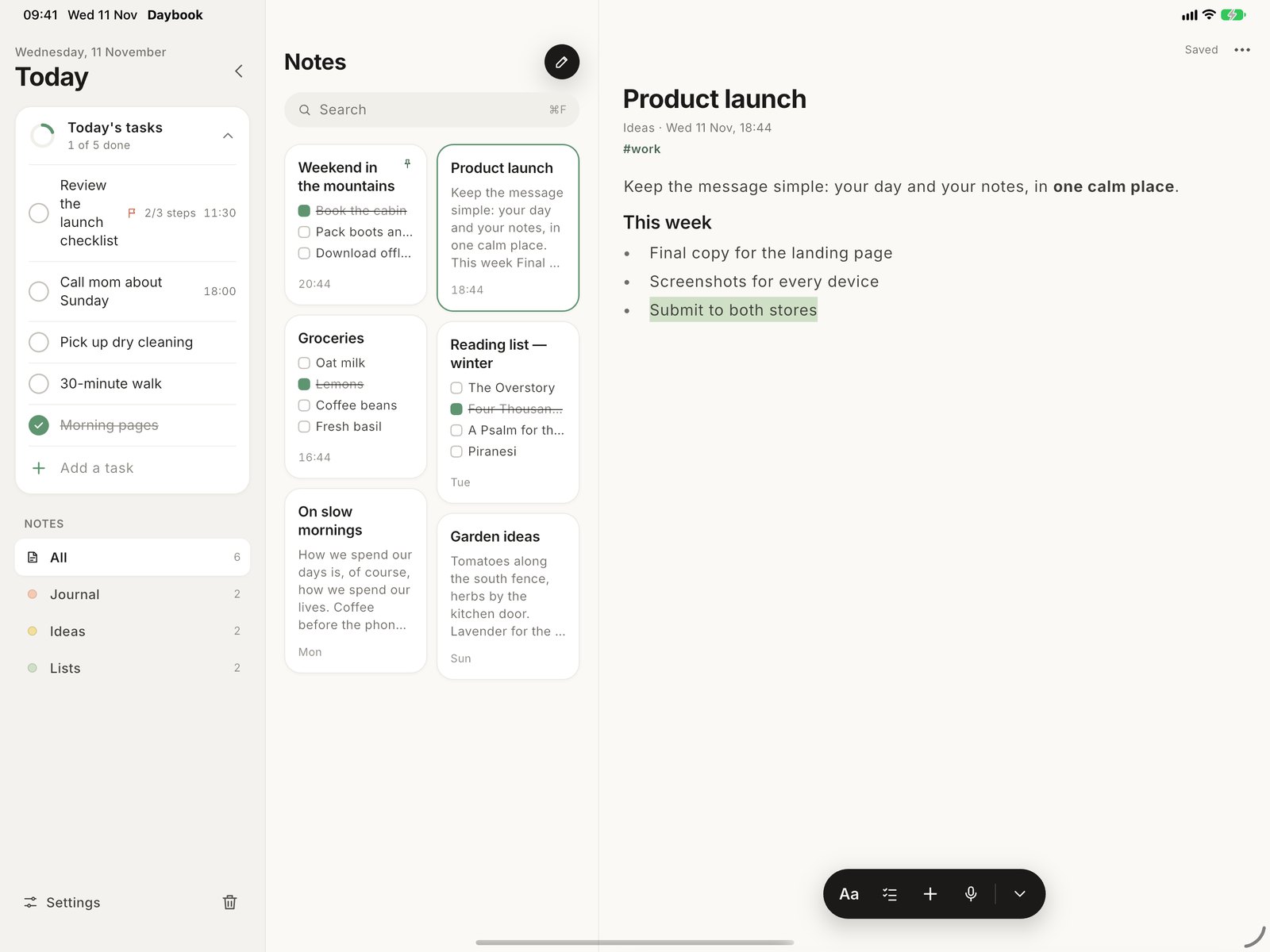
iPad
Sidebar, note list and editor side by side, with keyboard shortcuts.
Foldables
Two pages when open, a writing desk when half-folded.
Private by design.
Daybook has no account, no server and no tracking. Your notes live on your device, and nobody else — including me — can read them.
Questions
Is Daybook free?
Yes. No ads, no subscriptions and no in-app purchases.
Where are my notes stored?
Only on your device, in Daybook's private storage. They're included in your phone's own backup (iCloud or Google) if that's turned on, and you can make a backup file any time in Settings › Back up.
Does it sync between my devices?
Not yet. To move your notes to a new device, make a backup file in Settings and restore it on the new one.
Can I get my notes out?
Always. Share any note as text, an image, PDF or Markdown, or export everything at once from Settings.
Which devices does it run on?
iPhone and iPad with iOS 16 or later (widgets need iOS 17), and Android 8.0 or later, including foldables.
How do I get help?
Write to help@samandar.dev — every message is read. See the support page for quick answers.

Start with today.
One short list, and room for everything else.